9 Real Ways Cybercriminals Exploit You in 2026
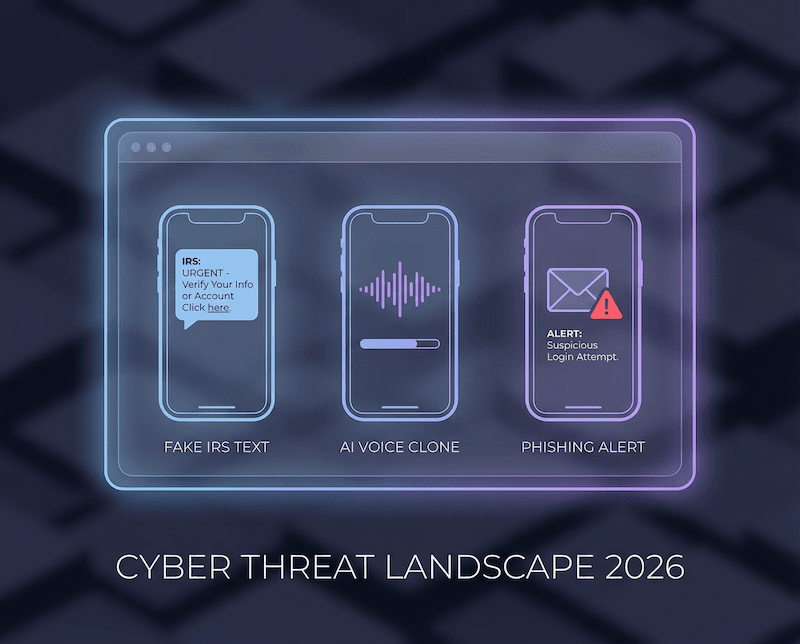
TL;DR
- Cybercriminals in 2026 are running cleaner, more personal scams that blend into everyday texts, DMs, and email.
- If you build a few repeatable habits, you can spot most cyberscams in under 10 seconds and stop cybercrime from snowballing.
Cybercriminals are not just “online.” In 2026, they show up where you already live digitally: your group chats, your bank alerts, your package updates, and your work calendar.
What makes this era different is polish. Messages look like real brands, calls sound like real people, and the timing is engineered to hit when you are busy.
The good news is that most scams still follow patterns. Once you know the patterns cybercriminals rely on, you can protect yourself without turning into a suspicious hermit.

Why cybercriminals are winning attention in 2026
The core trick is simple: steal your attention, then steal your action. Cybercriminals design messages that feel routine, so you click before you think.
In addition, automation and AI are making scams faster to create and easier to personalize. That does not mean you are doomed. It just means your defense should be a system, not a vibe.
A recent overview of 2026 scam trends notes how impersonation and AI-assisted fraud keep evolving, even as the basic themes stay the same. See CyberCX’s breakdown of what is changing and what is not for a clear picture of how cybercriminals are adapting.
Learn more about 2026 scam trends.
9 real ways cybercriminals exploit you in 2026
These are the tactics showing up most often across texts, emails, calls, and social platforms. You do not need to memorize them all. Instead, notice the shared ingredients: urgency, authority, and a shortcut that skips verification.
1. Fake tax and government messages
During tax season, scams spike because stress is already high. A text that says “verify your refund” or “your account is flagged” is designed to trigger fast compliance.
The most common tell is a link that pushes you to “confirm” personal details. If you are unsure, stop and go to the agency site directly rather than using the message.
Fox News has highlighted 2026 tax-season scams built around fake IRS messages that aim to steal identities. The details are a helpful reminder that cybercriminals love official-sounding language.
Read the tax scam examples.
2. “Your package is delayed” delivery texts
These texts work because they feel boring. The message pretends to be a carrier, then asks for a small fee or prompts you to “update delivery info.”
If a link asks for a card number, that is not a delivery problem. That is a scam.
3. Account “security alerts” that look real
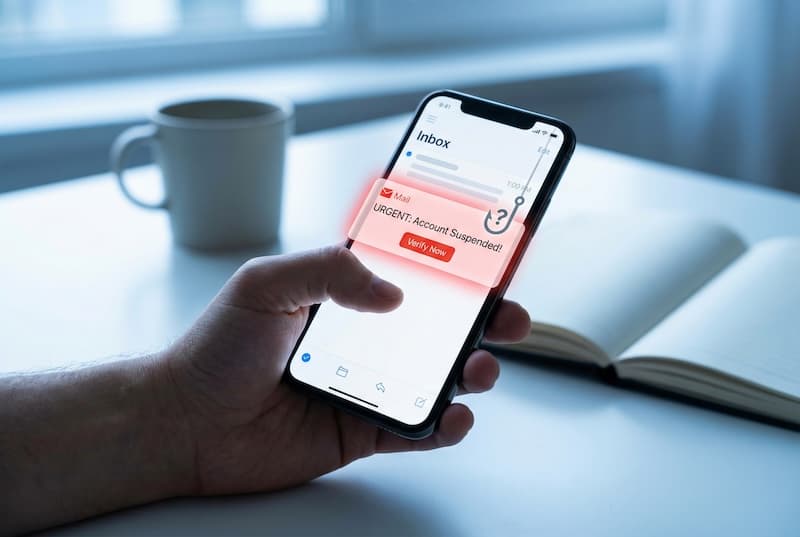
Cybercriminals know you have been trained to take security seriously. That is why they mimic two-factor pages, password reset emails, and “new login detected” banners.
A safe default is to ignore the link and open the app yourself. If the alert is real, it will still be there inside your account.
4. AI voice and “familiar” phone calls
Voice cloning is no longer a sci-fi headline. Scammers can fake a voice with surprisingly little audio, especially if you post public videos.
The defensive move is a simple verification loop: ask a question only the real person would answer, or hang up and call back using a known number.
5. Job offer and recruiter traps
Remote work and fast hiring cycles make this one sticky. A message says you are shortlisted, then asks you to “confirm details” or download a file.
If you did not apply, treat it like a billboard, not an invitation. Real recruiters do not need your passwords or payment information.
6. “We need you to approve this” MFA fatigue
Instead of guessing your password, cybercriminals hammer you with repeated login prompts and hope you approve one out of annoyance.
If you get surprise prompts, change your password immediately and check for new devices or sessions.
7. Social DMs that move you off-platform
A DM starts friendly, then quickly pushes you to a different app, a link, or a payment request. The goal is to isolate you from platform protections and reporting tools.
If the conversation wants to leave the platform fast, slow it down. Legit interactions can handle friction.
8. “Too good to be true” investment dashboards
Fake dashboards are getting prettier. They show “growth,” “earnings,” and “bonuses,” then block withdrawals unless you pay a fee.
A practical rule is that fees should be transparent up front. Surprise fees at withdrawal time are a classic cyberscams pattern.
9. Subscription renewals and cancellation panic
This one preys on subscription fatigue. You get a text that says your service will renew today, then offers a link to cancel.
The safest move is to manage subscriptions inside the real app store or the official account page, not inside a message.

Why this matters now, culturally
We are living in the era of “tap-first” behavior. Payments are one-click, logins are one-tap, and customer support often starts in a chat bubble.
Because of that, cybercrime has shifted toward moments of distraction. The more normal digital life becomes, the more cybercriminals can blend into it.
AARP’s roundup of the biggest scams to watch in 2026 reinforces that these tactics hit real people in everyday situations, not just “high-risk” targets. It is a reminder that cyberscams are designed for normal routines.
See the 2026 scam watchlist.
The most common mistakes that help cybercriminals
First, reusing passwords turns one leak into many break-ins. It is the easiest multiplier cybercriminals can get for free.
Second, treating “security alerts” as emergencies creates rushed choices. If a message demands action in minutes, that is a signal to slow down.
Third, assuming you will notice a scam because you are “online a lot” is a trap. The modern scam is built to feel like the way you already communicate.
Finally, skipping basic device hygiene leaves doors open. Updates, lock screens, and a little cleanup reduce the odds that cybercrime turns into account takeover.
Actionable steps that stop most cyberscams
You do not need 50 tools. You need a short set of defaults you follow every time.
Use the “source check” rule
If a message claims to be your bank, your employer, or a government agency, go to the source directly. Open the app, type the URL yourself, or call a known number.
Make passwords boring and unique
Unique passwords shut down credential stuffing. A password manager makes this painless, which is exactly why it is one of the highest leverage moves against cybercriminals.
Turn on strong verification, then respect it
Use multi-factor authentication where possible. Then, treat unexpected prompts as an incident, not a minor annoyance.
Limit what strangers can learn in 30 seconds
Review what is public on your social profiles. Remove phone numbers, birthdays, and public “check-ins” that make targeting easier.
Create one “pause phrase”
Pick a phrase you say to yourself when you feel rushed, such as “I do not click when I am stressed.” That tiny interruption breaks the spell cybercriminals are trying to cast.

The TREASURELY take: make safety feel rewarding
Cybercriminals win when security feels annoying. When protection is hard, people postpone it, and that delay creates opportunity.
TREASURELY’s philosophy is that digital safety should feel intuitive, human, and even a little satisfying. You should be able to build strong habits without needing a tech degree or a spreadsheet.
If cybercrime is becoming more personalized, your defenses should become more personal too. That means routines that match how you actually live online, not how a policy document says you should.
Stay ahead of cybercriminals with a smarter inbox
The tactics will keep changing. However, the patterns will not. If you can spot urgency, impersonation, and shortcuts, you can shut down most scams quickly.
Subscribe to the TREASURELY newsletter for modern digital safety tips, breach insights, and simple ways to protect your digital life without adding stress.
Related Posts


Stay Ahead of Cyber Threats
Get weekly security tips, scam alerts, and digital privacy advice from TREASURELY.